View all
Web DevelopmentMobile Development UX/UI DesignStaff Augmentation CTO as a ServiceDedicated TeamLow-Code DevelopmentHow Much Does It Cost to Build a SaaS Platform in 2026?
Client Guides
SaaS

Aug. 05, 2026
17:50 min to read
-1785916377804.webp)
Table of Contents
SaaS Development Cost: Stage-by-Stage Breakdown
How Architecture Decisions Affect SaaS Cost
Build vs. Buy: SaaS Component Cost Matrix
SaaS Tech Stack and Its Impact on Cost
Ongoing Costs: What You Pay After Launch
7 Ways to Reduce SaaS Development Cost (Without Cutting Quality)
Real SaaS Projects: What They Actually Cost
If you need concrete numbers right now, here are realistic budgets for 2026. Building a basic SaaS MVP will cost you $30K – $80K. A full-featured SaaS product at the active growth stage costs between $100K and $250K. Enterprise-level solutions start at $250K and easily exceed $500K.
Still, these numbers mean nothing without context. The question “How much does it cost to build a SaaS platform?” doesn't have a universal answer. We should consider the product's stage of development and architectural decisions. You may decide to build some features from scratch and integrate others via subscription. We've seen dozens of startups burn through hundreds of thousands of dollars on complex microservices architectures before even getting their first paying customers. And we know others who have launched a profitable product for as little as $40K.
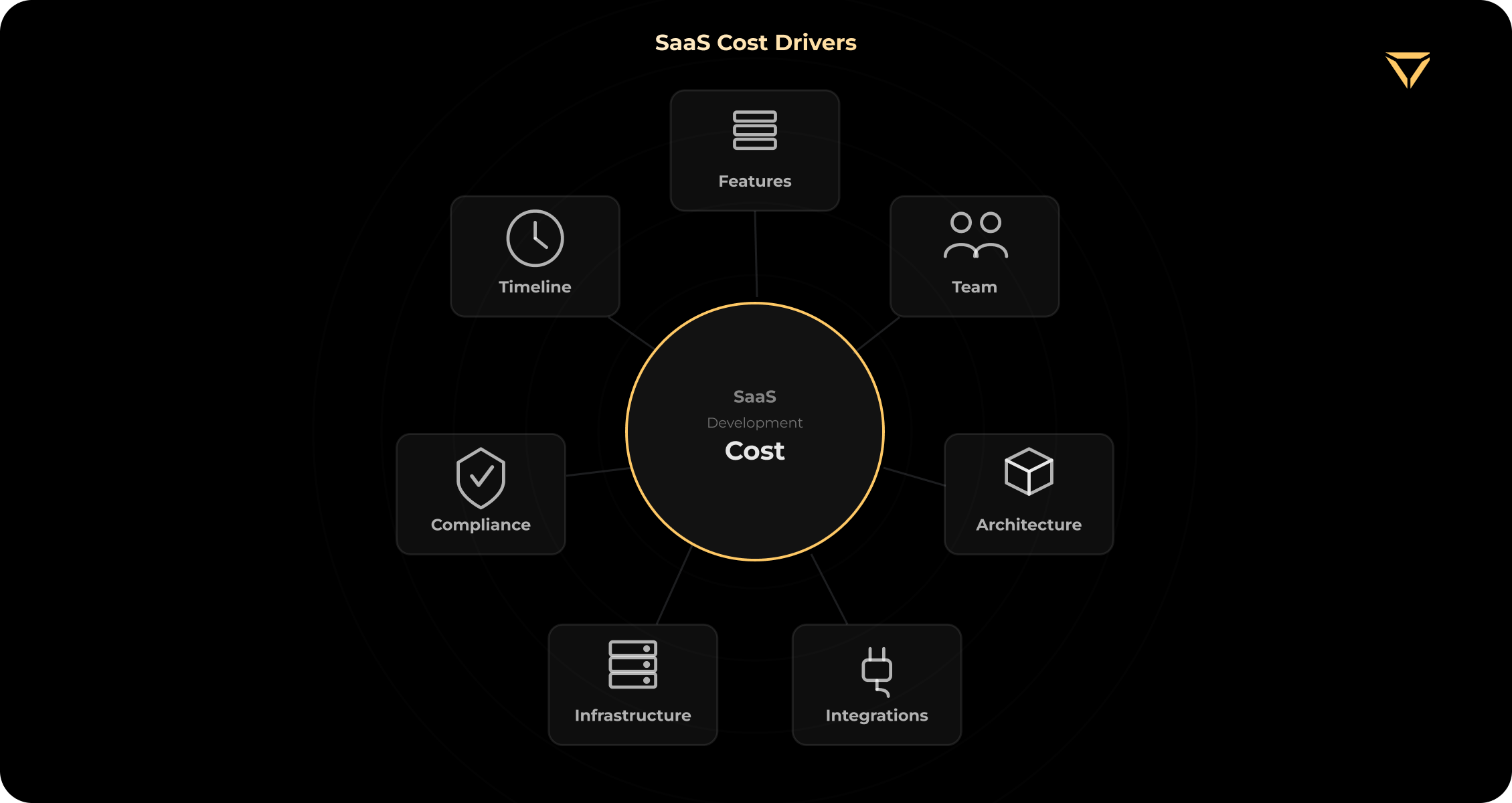
In this article, we won't just give you an abstract estimate of SaaS development costs. We will break down the budget stage by stage, show how architecture directly impacts the bill, create a transparent build-vs-buy matrix, and reveal ongoing costs. These include monthly infrastructure, third-party service, maintenance, and support expenses that are often overlooked during initial estimation.
SaaS Development Cost: Stage-by-Stage Breakdown
Estimating SaaS development costs directly depends on the stage of the product's lifecycle. Planning the budget as one huge one-time expense is a surefire way to run out of cash. The real cost of building a SaaS product should be intelligently distributed across stages: from idea validation to global scaling. Below is a table that will help you understand how much money you will need at each stage, who you need on your team, and what tasks these investments should cover.
| Stage | Cost Range | Timeline | Team Size | Primary Goal |
| Prototype / PoC | $5K – $15K | 2 – 4 weeks | 1 – 2 devs | Validate the idea with investors and early users |
| MVP | $30K – $80K | 2 – 4 months | 2 – 4 devs + UI/UX | Validate demand, user retention, and willingness to pay with an initial customer cohort |
| Growth | $100K – $250K | 4 – 8 months | 4 – 8 devs | Expand the feature set, improve retention, and prepare the architecture for growing usage and data volumes |
| Enterprise | $250K – $500K+ | 8 – 12+ months | 8 – 15+ devs | Advanced security, tenant isolation, enterprise integrations, and defined service-level commitments |
Prototype / PoC ($5K – $15K)
The first step in development is a Proof of Concept (PoC) or clickable prototype. Its main goal is to test the product hypothesis as cheaply and quickly as possible. You show this prototype to investors or early potential users to understand whether the product solves their real pain point. For this stage of development, the SaaS MVP cost should be minimal, as you're investing in validation, not scale.
At this stage, you don't need a complex server-side architecture. The optimal stack may include interactive design in Figma plus no-code tools like Bubble or Softr. Alternatively, a basic frontend in React/Next.js with mocked data can be a good option. The team may consist of just 1 – 2 developers or one strong full-stack engineer and a UI designer. Implementation typically takes 2 – 4 weeks.
-1785917195895.png)
What you should not include in a prototype:
- Automated billing and processing of real cards.
- A complex authorization system and user role assignment.
- Scalable server infrastructure.
- Deep integrations with third-party services (CRM, ERP).
If you're just planning to build a SaaS product, remember that a prototype is often a one-time tool. Be prepared to discard most of your work when moving to the next stage. Your only goal here is to get a clear "Yes, I would pay for this" from your target audience.
MVP ($30K – $80K)
A Minimum Viable Product (MVP) is a fully functional product that users can and should pay for with real money. If you're looking for an answer to the question of how to build a SaaS product with the optimal balance of speed, price, and quality, this is your main starting point.
An MVP implements 1-3 key features that may be appealing to users, including basic secure authorization, clear onboarding, and a working billing system. Your goal is to attract an initial cohort of real users and validate demand through willingness to pay, repeat usage, retention, and direct customer feedback. According to Crunchbase, the average seed round often exceeds $1M, but spending a significant portion of this money on developing the first version "with a reserve for the future" is a serious mistake for many founders.
Building a solid MVP requires a well-coordinated team of 2-4 developers and a UI/UX designer. Development timelines range from 2 to 4 months. The optimal stack at this stage is modern, proven solutions that enable rapid, secure progress. Most of our SaaS clients at Stubbs start at $40K–$70K for an MVP using the MERN stack or T3, heavily integrated with Stripe and Auth0.
Moving to this stage, consider the specifics of SaaS application development at the MVP stage:
- Billing: Adopt only ready-made solutions like Stripe Checkout or Lemon Squeezy.
- Authorization: Auth0, Clerk, or Firebase Auth. Don’t write your own login system from scratch at the start.
- Analytics: Basic event tracking via PostHog or Mixpanel.
This budget range ($30K – $80K) is our sweet spot at Stubbs. We know exactly how to focus on critical functionality, trim unnecessary parts, and avoid inflating the budget by prematurely optimizing the architecture.
Growth ($100K – $250K)
If your MVP is performing well, users are paying regularly, and the product is bursting with new feature requests, you have entered the Growth stage. The budget for SaaS platform development naturally increases to $100K – $250K, and the team expands to 4 – 8 senior/mid-level developers, a DevOps engineer, and QA. The timeline for the growth stage requires 4 – 8 months of intensive work.
At this stage, the business's focus shifts from survival to customer retention and technical preparation for serious scaling (from 1K to 10K+ users). What exactly is included in this price:
- Full feature set. Expanded basic functionality, complex interactive dashboards, custom reports, and data export.
- Advanced billing. Transition from simple subscriptions with flat rates to tiered pricing, add-ons, or usage-based models where the client pays for the volume of API or storage used.
- Team management & roles. Implementing a complex access control system (RBAC), inviting colleagues to the team, and dividing the system into workspaces.
- Integrations & API: Creating a reliable public API for partners, integrations with Zapier, Salesforce, Slack, and HubSpot.
- Infrastructure & DevOps: Setting up a full-fledged CI/CD pipeline for secure releases, implementing autoscaling, and strictly separating environments for staging and production.
- Compliance: Basic technical preparation for security standards (SOC2, GDPR), which is becoming a critical factor for B2B sales.
When assessing web application development cost in the Growth stage, it's important to understand the key shift. You're paying not for new buttons but for stability. Any server downtime now costs real money, customer loyalty, and brand reputation.
Enterprise Scale ($250K – $500K+)
When your product targets enterprise customers or must support demanding security, availability, integration, data-volume, and operational requirements, the SaaS development budget goes well beyond the $250K mark. Development at this stage can take over a year of continuous work by a dedicated team of 8 – 15+ highly skilled engineers. Enterprise isn't just a large number of new features. It's a fundamentally different level of requirements for architecture, fault tolerance, and security:
- Multi-tenant architecture. Strict logical or physical isolation of data between different tenants at the database level.
- Enterprise auth. Mandatory support for Single Sign-On (SSO), SAML, and integration with corporate directories (Active Directory, Okta).
- Security & audit. Detailed audit logs, encryption at rest and in transit, granular access controls, and compliance with relevant standards such as HIPAA or PCI DSS when required by the product’s industry and data flows.
- White-labeling. Full customization of the interface, domains, and email notifications to match the brand of a specific B2B client.
- Service-level commitments. Enterprise clients may require defined uptime targets, response times, support coverage, and service-credit terms based on the product’s criticality.
At this level, the product becomes a complex, high-load ecosystem, where architectural mistakes can become expensive to correct. That is why a large portion of the budget is spent on testing, monitoring, and DevOps infrastructure.
How Architecture Decisions Affect SaaS Cost
One of the most common mistakes we see from non-technical founders is trying to calculate a budget based solely on features. For example, they say "we will have 10 screens and 3 roles.” But in reality, the SaaS architecture has a much greater impact on the bill than the design or the number of buttons in the interface.
Fundamental engineering decisions can save you tens of thousands of dollars at the start, but they can also plunge you into astronomical debt as you scale. Let's look at four key architectural choices and their impact on SaaS platform development.
1. Multi-tenant vs. Single-tenant Architecture
In SaaS products, database architecture determines how you store information for different clients.
- Single-tenant: Each client receives their own isolated database and server. This significantly simplifies development at the outset and is ideal for enterprise clients with strict security requirements. According to the official AWS SaaS Lens guide, you won't need to waste engineering resources creating complex custom data isolation logic within a single database. However, supporting 100 clients will mean supporting 100 separate infrastructures. Operational and DevOps costs may become difficult to sustain as the number of dedicated customer environments grows.
- Multi-tenant architecture: Multiple customers share parts of the application infrastructure while their data and access remain securely isolated. The exact model may involve shared tables with tenant identifiers, separate schemas, dedicated databases, or a hybrid approach for different customer tiers. In our experience, implementing robust tenant isolation may add approximately $10,000–$20,000 to an MVP, depending on the access model, compliance requirements, billing logic, and infrastructure setup. A pooled or hybrid multi-tenant model is often more cost-efficient at scale, but the right approach depends on the product’s security, operational, and customer requirements.
2. Monolith vs. Microservices
This is a classic trap for startups that have read too many Netflix and Uber blogs.
- Monolith: All code is in a single application. Development is fast, testing is simple, and deployment to Vercel or AWS Elastic Beanstalk takes minutes. A monolith is a great choice for an MVP.
- Microservices: The application is broken down into dozens of small, independent services. Starting an MVP with microservices is financially unjustified. In our experience, introducing microservices at the MVP stage can add tens of thousands of dollars in infrastructure and engineering work, depending on the number of services, deployment model, monitoring requirements, and DevOps maturity. As legendary architect Martin Fowler explains in his Microservice Premium concept, this architectural pattern requires a colossal initial investment in DevOps. You will have to make these services communicate reliably with each other, manage their deployment (Kubernetes), and set up distributed monitoring before you've even started coding useful business logic. Consider moving toward microservices when the product develops clearly separated business domains, different components require independent scaling, or multiple teams need to deploy and own services independently. The decision should be driven by organizational and architectural complexity rather than a specific number of users.
3. Serverless vs. Traditional Cloud
- Serverless (AWS Lambda, Vercel Functions): You primarily pay for actual execution, requests, and allocated resources. For applications with low or irregular traffic, serverless compute can be inexpensive and scale automatically. However, the total infrastructure bill also depends on databases, storage, networking, monitoring, concurrency settings, and other connected services.
- Traditional (EC2, Docker containers): You pay for provisioned resources regardless of whether they are fully utilized. For stable and predictable high-throughput workloads, containers or long-running services may be more cost-efficient than request-based serverless execution. The actual difference depends on workload patterns, resource utilization, concurrency, and operational overhead. A widely discussed example comes from the Prime Video engineering team, which redesigned a specific high-throughput video monitoring workload and reported substantial infrastructure savings after consolidating distributed components into a more suitable architecture. The lesson is not that serverless is inherently expensive, but that infrastructure should match the workload’s traffic pattern and processing requirements.
4. Cloud-managed vs. Self-hosted Databases
- Managed databases (AWS RDS, Supabase, MongoDB Atlas): The provider handles much of the operational work, including infrastructure provisioning, backups, patching, replication, and selected scaling tasks. This usually increases the direct service cost but significantly reduces database administration and DevOps overhead. Your team will still need to manage data modeling, migrations, access control, monitoring, query performance, and cost optimization.
- Self-hosted: You deploy the database yourself on a bare-metal server. Cloud resources are inexpensive, but any database failure or backup issue requires manual intervention. For 95% of SaaS projects, this is an unjustified risk at the start.
Build vs. Buy: SaaS Component Cost Matrix
The easiest way to significantly reduce a SaaS development cost is to use standard components. Almost every project has them: login, password reset, payment acceptance, and email sending.
Many engineers like to write everything from scratch because it's "technically interesting." But we usually ask, "Will a custom authorization system bring additional value to our client?" If the answer is "no," we go and buy a ready-made API. If you're wondering how to create a SaaS product in the shortest possible time without sacrificing quality, study this matrix. ased on our project experience, using the right integrations at the MVP stage saves $30,000 to $50,000 from the development budget.
| Component | Build Cost (Custom) | Buy Option (SaaS API) | Monthly Cost (Buy) | When to Build Custom? |
| Authentication & SSO | $10K – $25K | Auth0, Clerk, Firebase | $0–$500+/mo, depending on usage | For custom identity, self-hosting, or compliance needs. |
| Billing & Subscriptions | $15K – $30K+ | Stripe, Lemon Squeezy | Varies by country; ~2.9% + 30¢ in the US | Only when billing logic is a core product feature. |
| Email & Notifications | $5K – $10K | SendGrid, Resend | $15 – $50+ / mo | When deliverability or data control is critical. |
| Analytics | $10K – $20K | PostHog, Mixpanel | $0 – $200+ / mo | For strict privacy or custom analytics requirements. |
| Admin Panel | $8K – $15K | Retool, Forest Admin | $50 – $200+ / mo | When ready-made dashboards don't cover complex internal logic. |
| Search Functionality | $10K – $25K | Algolia | $30 – $150+ / mo | When search logic, scale, or data control is critical. |
Developing custom billing can cost you 2-3 months of engineering work and endless headaches with PCI-DSS compliance. Stripe Checkout integration takes 2-3 days. With this solution, you will pay a commission on each transaction, but at the MVP and Growth stages, this is a negligible cost for speed to market and reliability.
It only makes sense to rewrite standard components to suit your needs when monthly bills for third-party services begin to exceed the cost of salaries for the team members who support them. This decision should be based on actual vendor costs, transaction volume, feature limitations, compliance requirements, gross margins, and operational risk.
Planning a SaaS? Get a cost estimate in 48 hours.
Tell us about your idea, and we will help you choose the right architecture and create an integration matrix.
SaaS Tech Stack and Its Impact on Cost
Choosing a SaaS tech stack isn't just a matter of personal preference of your CTO. It's a financial decision that impacts your startup's profit and loss. The technology stack shapes the final bill for SaaS application development through four key factors:
- Developer hourly rate. Rare or highly specialized languages, such as Rust or Haskell, will cost significantly more on the labor market.
- Development speed. How quickly a framework allows you to build ready-made features.
- Hiring pool. How quickly you can find a new developer to replace or expand your team.
- AI-tool productivity. How well modern AI assistants, including Copilot and Cursor, are trained on the chosen stack.
Here are the most popular SaaS solutions today:
- MERN (MongoDB, Express, React, Node.js). This is one of the most popular tech stacks among startups. MERN is also our default SaaS stack at Stubbs. It provides the largest hiring pool, enables JS on the frontend and backend, and offers excellent AI tool support. This allows for rapid movement and flexible team scaling.
- T3 Stack (Next.js, tRPC, Prisma, Tailwind). This is a modern, strongly typed or type-safe stack. It is ideal for projects where code reliability and predictability are paramount. The stack introduces more upfront structure and stronger type safety, which improves consistency and reduces integration errors as the project grows.
- Ruby on Rails. It remains a strong option for rapid product development. Allows you to build a complex backend faster than with JS/TS thanks to a huge number of ready-made modules (gems). However, finding strong Rails developers is more difficult and expensive.
- Laravel + Vue (PHP ecosystem). A reliable, time-tested choice with an excellent balance of development cost and speed. The Laravel ecosystem offers a wealth of ready-made SaaS solutions out of the box, for example, Laravel Spark.
For information on the cost of specialists across different fields, read our hiring guide.
Ongoing Costs: What You Pay After Launch
Most agencies sell the illusion that SaaS development cost is a one-time investment. At Stubbs, we acknowledge that release day is just the beginning of your expenses. When planning the cost to build a web application, you must also budget for ongoing expenses.
The SaaS model requires continuous infrastructure operation, third-party API fees, and regular technical support. If you ignore these figures, your startup risks closure due to a lack of operating funds within the first few months of operation. Below is a table of average monthly expenses for a typical SaaS project in the growth stage (1,000–5,000 active users). Estimates are based on public pricing from providers (AWS, Vercel, Datadog) and our experience.
| Cost Category | Monthly Range | Description & Context |
| Hosting & Cloud Computing | $50 – $5,000 / mo | Servers, databases, storage (AWS, Vercel, Railway). They are inexpensive at the start, but costs generally increase with usage, although the relationship is not always linear. |
| 3rd-Party Services (API) | $200 – $2,000+ / mo | Subscriptions to Auth0, SendGrid, Algolia, plus payment gateway fees. For example, Stripe charges ~2.9% + ¢30 per transaction. |
| Monitoring & Logging | $100 – $500 / mo | Tools like Datadog, Sentry, or LogRocket for real-time error and performance monitoring. |
| Domain, SSL, CDN | $20 – $100 / mo | Cloudflare (DDoS protection, caching), custom domains, SSL certificates. |
| Maintenance & Bug Fixes | 15–20% / year | Annual support costs around 15-20% of the initial development cost, including library updates and vulnerability fixes. |
| Scaling Infrastructure | Variable | Autoscaling, database replicas, load balancers. These expenses appear when workload, traffic patterns, data volume, or availability requirements exceed the capacity of the initial infrastructure. |
7 Ways to Reduce SaaS Development Cost (Without Cutting Quality)
How to build a successful product without burning through your budget? If you search on Google for "how to build SaaS" or "build a SaaS product," you will often be bombarded with advice like "hire students" or "save on design." This isn’t a good solution. You need to reduce costs through smart engineering decisions and process optimization. Here are 7 proven ways to save real money without sacrificing product quality:
- Start with a monolith, not microservices. A monolithic architecture for an MVP speeds up deployment and testing. You will save weeks of engineering time at the start simply by avoiding a complex DevOps setup. As we've already mentioned, with reference to Martin Fowler, microservices require significant upfront infrastructure investment that doesn't pay off during the MVP stage.
- Buy non-core components (Buy > Build). As we've seen in the matrix above, integrating Auth0 and Stripe instead of custom login and billing will save your team 2 to 4 weeks of time, which often equals the cost of the entire project design.
- Use AI tools. Our team uses Cursor + Claude Code. This can cut SaaS development time by ~30%. In fact, according to McKinsey research on the impact of Generative AI, using modern AI assistants increases software engineering productivity by 20–45%. This translates directly into savings on your developer budget.
- MVP = Maximum 1–3 key features. Cut the scope ruthlessly. Each "nice-to-have" feature not only requires development time but also time for design, testing, and future support. Cutting unnecessary functionality (using the 80/20 Pareto principle) can safely reduce the MVP budget by approximately a third.
- Outsource to Eastern Europe or Latin America. According to global labor market analytics from ZipRecruiter and Glassdoor, the cost of hiring engineers in the US and Western Europe is three to four times higher than the salaries of similar senior-level developers in Eastern Europe and LatAm. Outsourcing to properly vetted teams in Eastern Europe or Latin America can provide access to experienced engineers at lower regional rates. Depending on team composition, location, and engagement model, this may substantially reduce the development budget compared with local hiring in the US or Western Europe.
- Use open-source UI kits. Don't design every input and button from scratch. Using ready-made, accessible systems, for example, shadcn/ui in conjunction with Tailwind CSS, allows you to save dozens of hours on UI/UX design and front-end layout. At the same time, your product will keep a premium look.
- Use PaaS at the MVP stage. Launch on Vercel, Railway, or Heroku instead of the complex setup of bare-bones AWS. You will pay a little more for the server resources themselves, but It can significantly reduce the initial DevOps workload by simplifying deployment, scaling, environment management, and infrastructure configuration.
Real SaaS Projects: What They Actually Cost
It's difficult to discuss the cost of building a SaaS product based solely on theory. We’ve delivered multiple SaaS products across AI, project management, fintech, healthcare, and other domains. From our experience, the final bill for SaaS application development is determined by the complexity of the business logic, the state of the codebase, and the depth of integrations. While confidentiality requirements prevent us from disclosing exact figures down to the dollar, we openly share the actual scope, stack, and engineering challenges that determine the final project cost. Here are two real-world cases from the Stubbs portfolio that illustrate what the founders are paying for.
Case 1: Creativio (AI SaaS for Product Photography)
Creativio is a SaaS platform that helps users create professional product photography using artificial intelligence. The platform's functionality includes generation, background removal, and quality enhancement.
Scope: A full-fledged AI editor with support for inpainting/outpainting, Magic Remover, image-to-text extraction, and an interactive canvas. Users can switch between Stability AI and a custom in-house model. Four license levels are available, from Free Trial to Professional.
Tech Stack: React.
Team & Timeline: 4 specialists; 2.5 months of intensive work.
Challenges: The main factor affecting resource costs on this project was the legacy codebase. We joined the project midway through, taking over from another team. The code contained a lot of hard-coded logic and lacked a proper structure, making it impossible to maintain. We had to refactor it on the fly, balancing the integration of a new AI engine with urgent bug fixes for features that users had already paid for.
Lesson Learned: Reworking poor-quality legacy code under tight deadlines is one of the main drivers of product cost increases.
Case 2: Flytime (Project Management SaaS)
Flytime is a SaaS platform for project management and teamwork based on Gantt charts with real-time updates.
Scope: The platform's core is an interactive Gantt chart with a drag-and-drop feature and task dependencies. The product supports complex hierarchies including projects, folders, tasks, subtasks, a built-in messenger, multilingual support, and time zone adaptation. The SaaS platform offers Free, Standard, and Enterprise plans. Billing is available through Stripe and PayPal.
Tech Stack: Next.js, MongoDB, Nest.js.
Challenges: The key challenge was implementing complex real-time user interaction logic. We implemented WebSockets so that any changes, from task status to a new chat message, were instantly reflected for all team members, without page refreshes.
Lesson Learned: Developing real-time systems with deep data hierarchies requires a robust backend architecture to keep updates consistent, manage concurrent user activity, and maintain reliable synchronization as product usage grows.
Conclusion
There is no single, universal price tag for SaaS product development. If you're wondering “How much does it cost to build a SaaS platform?” remember that the final budget is a mathematical function:
SaaS Cost = f (Stage × Architecture × Build-vs-Buy × Ongoing Costs).
One of the most expensive mistakes a founder can make is trying to build a complex enterprise infrastructure with microservices at the Seed stage. Build in stages. Focus on an MVP for $30K–$80K. Ruthlessly trim unnecessary functionality and buy ready-made components (Auth0, Stripe) instead of writing them from scratch. Choose a proven MERN or T3 stack, and plan an ongoing maintenance budget based on the product’s infrastructure, security, support, and release requirements. A common planning range is approximately 15–20% of the initial development cost per year, although actual spending may vary.
Even if you invest half a million dollars in a SaaS project before launch, it won't necessarily succeed. A successful SaaS is one that quickly validated the product hypothesis and began generating revenue.
Ready to build your SaaS? Free architecture consultation.
Tell us about your project, and we will help you create a well-designed roadmap.
FAQs
1. How much does a SaaS MVP cost?
How much does a SaaS MVP cost?
Developing a SaaS MVP will cost you between $30,000 and $80,000. This includes implementing 1-3 core features, integrating secure authentication, setting up billing, and completing basic onboarding. Such a project takes 2-4 months of close collaboration by a team of 2-4 developers.
2. What's the best tech stack for building a SaaS?
What's the best tech stack for building a SaaS?
For most startup SaaS, the ideal choice is the MERN stack (MongoDB, Express, React, Node.js) or T3 (Next.js, tRPC, Prisma). They offer a huge pool of developers on the market. Ruby on Rails is great for rapid prototyping. The final choice depends on product requirements, integrations, hosting constraints, compliance needs, expected scale, ecosystem maturity, maintainability, and the expertise available within your team.
3. Should I build or buy SaaS components like auth and billing?
Should I build or buy SaaS components like auth and billing?
At the MVP stage, buying is cost-effective. Integrate Auth0 or Clerk for authorization and Stripe for payments. Developing a custom identity system may add $10,000–$20,000 or more to the project, depending on its complexity. For most MVPs, it provides limited additional value unless authentication itself is part of the product’s differentiation or compliance model.Custom-built solutions become worthwhile when standard providers no longer satisfy product, compliance, or business requirements.
4. What are the ongoing costs of running a SaaS?
What are the ongoing costs of running a SaaS?
Launching a product is just the beginning. Your basic monthly expenses will include: cloud hosting ($50–$5,000/month), subscriptions to third-party services ($200–$2,000/month), and monitoring systems ($100–$500/month). Additionally, budget approximately 15–20% of the initial development cost annually for maintenance (bug fixing, technical support). Costs generally increase as usage, data volume, and infrastructure requirements grow.
5. How long does it take to build a SaaS platform?
How long does it take to build a SaaS platform?
The timeframe depends on the desired product stage. A clickable prototype can be built in 2 – 4 weeks. Developing a high-quality MVP will take 2 – 4 months. Releasing a fully featured product will take 4 – 8 months. Complex enterprise solutions take 8 – 12+ months.
6. Can I build a SaaS with no-code tools?
Can I build a SaaS with no-code tools?
For testing a hypothesis with a PoC, you can build a SaaS with no-code tools, such as Bubble and Softr. No-code can support some production SaaS products, especially those with standard workflows and moderate scale. However, it may become limiting when the product requires complex integrations, specialized performance optimization, advanced security controls, or deep customization. The decision should be based on the product’s long-term requirements. A smarter approach is to use no-code to validate the idea and then move on to custom coding.
7. Is it cheaper to outsource SaaS development or hire in-house?
Is it cheaper to outsource SaaS development or hire in-house?
For many seed-stage startups, outsourcing can reduce initial hiring costs and provide faster access to a complete product team. An outsourced MVP will cost you approximately $30,000 – $80,000. If you decide to hire an in-house team in the US or EU, costs will be approximately $120,000–$250,000+. This includes the lengthy hiring process, high salaries, taxes, and overhead. For a detailed analysis, read our article on the cost to hire developers.
Aug. 05, 2026
17:50 min to read